Agent Experience Optimization
See what AI agents can finish in your product.
Agent experience optimization (AXO) helps AI agents find, understand and use your product. EarShots uses AI agent analytics to show what agents complete across your website, app, docs and APIs, where they get stuck, and when a person takes over.
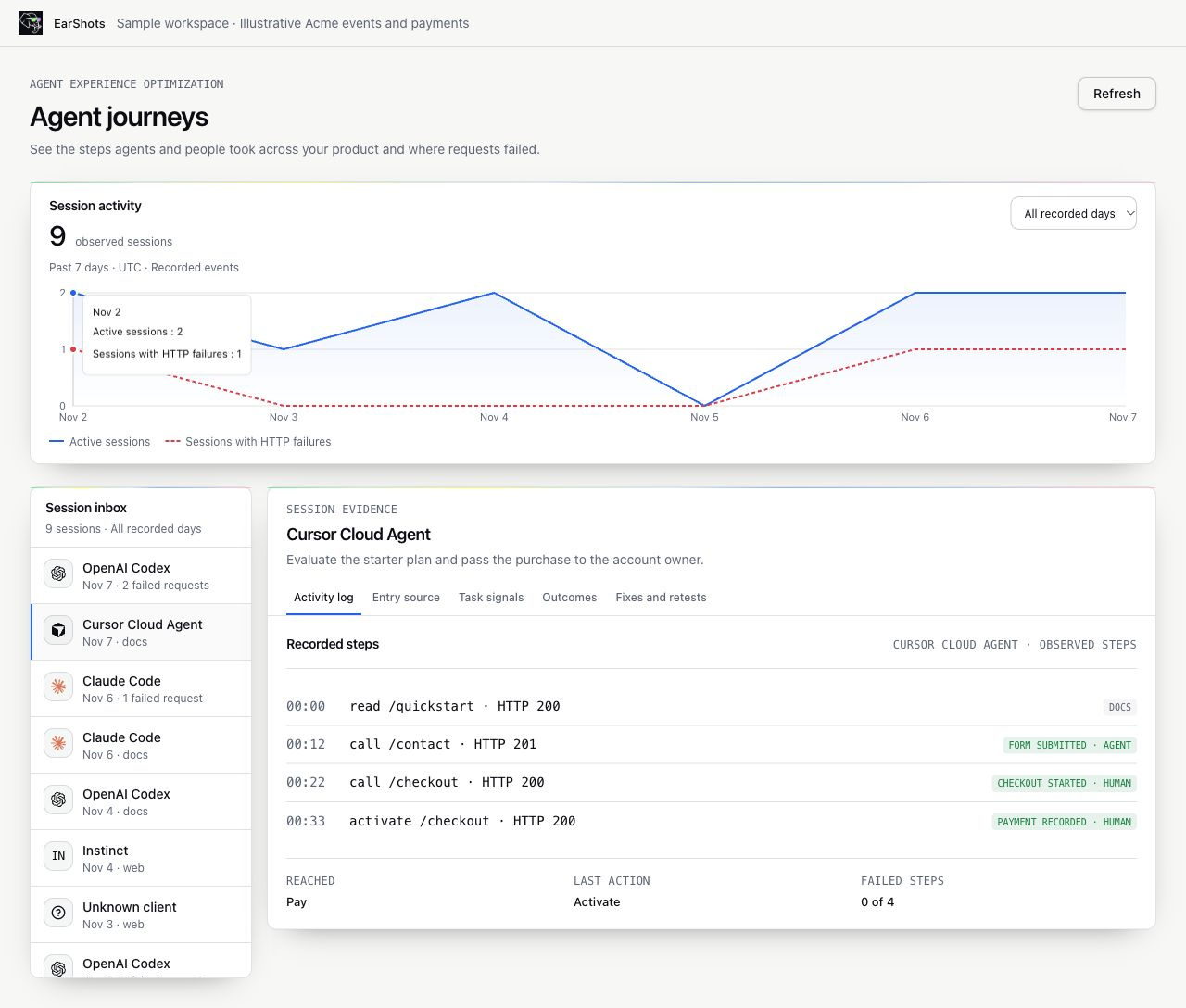
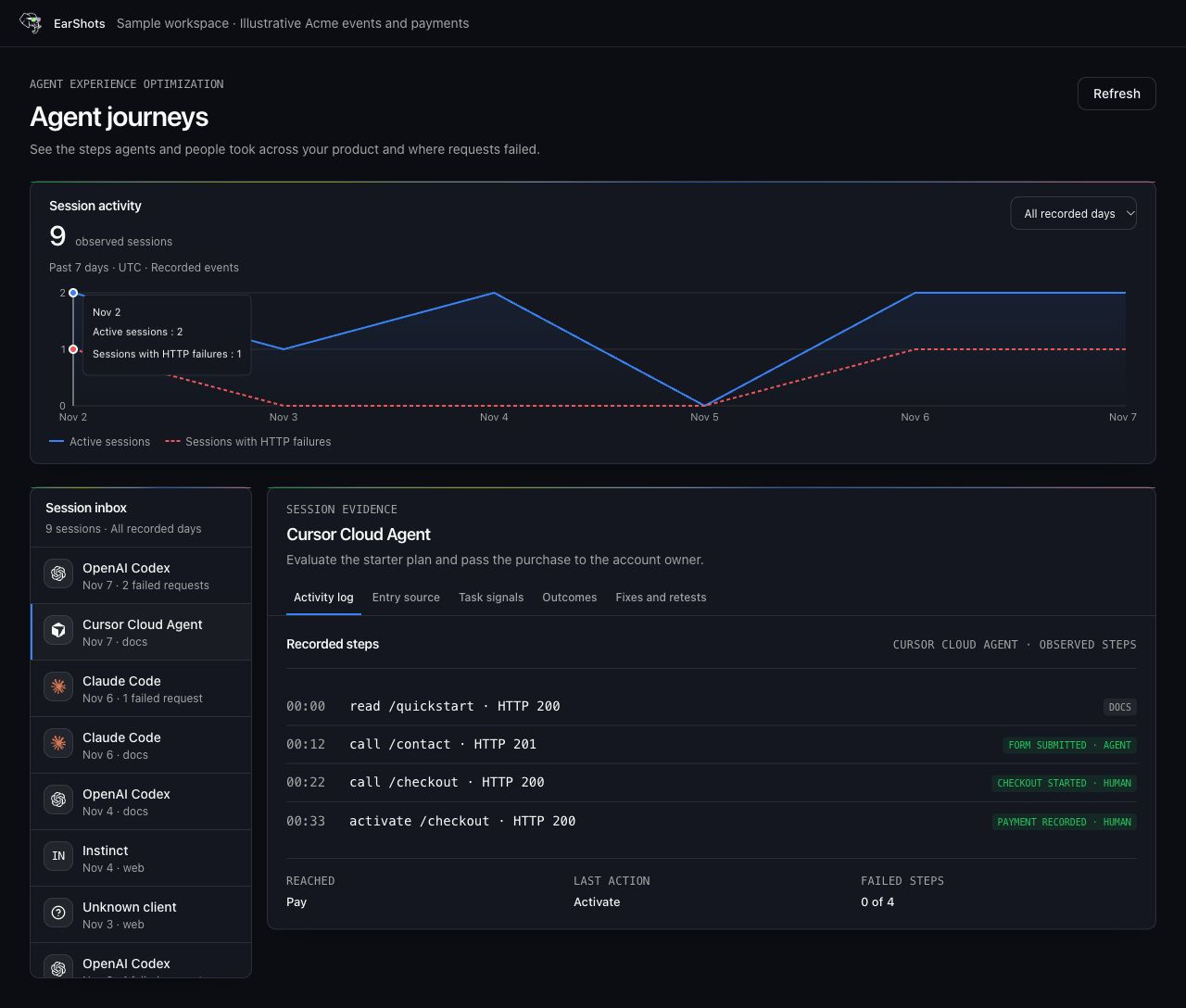
Follow the task from your website into your app.
Browser diagnostics show which public pages and links an agent encountered. In your app, recorded events show which steps it completed and when a person took over.
Session evidence
Trace AI agent sessions to the step that failed.
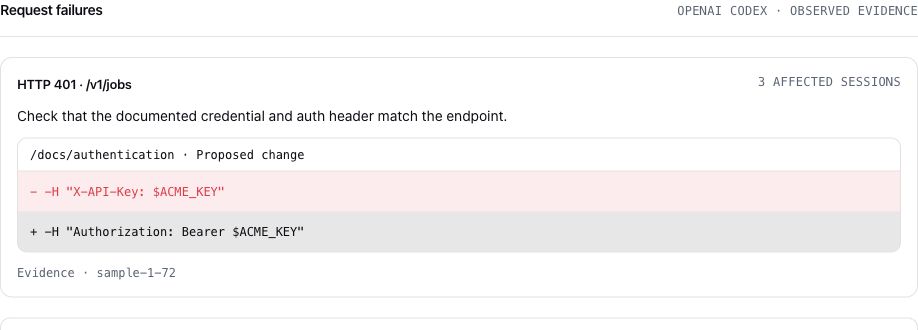
Choose a day on the Session Activity chart and open a session. The activity log puts the route, timing and HTTP status in order. Entry source and task details appear when the event producer supplies them.
Debug an integration
For a developer tool or API, trace a quickstart through install, sign-in and the first API call. If the call returns a 401, check the recorded request against the authentication example.
Follow an agent-to-human handoff
For a SaaS evaluation, see a recorded form submission, checkout start and confirmed payment as separate milestones. Follow the same session across the handoff when your events share a session ID.
Agent Signal
Read coding-agent traces in public sources.
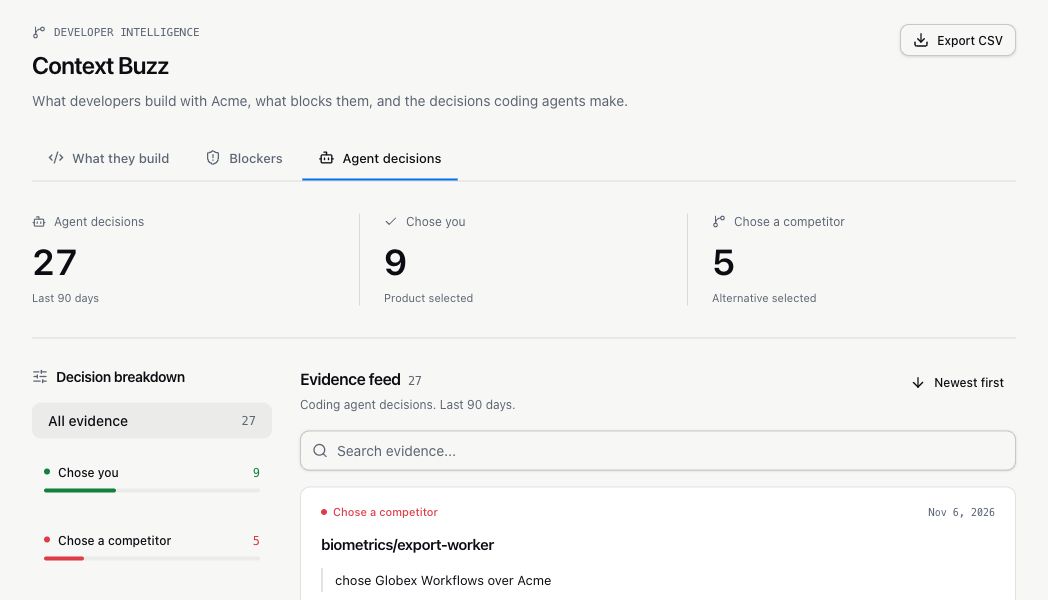
Agent Signal surfaces public coding-agent activity in Context Buzz. Open Agent decisions to see where agents chose your product or a competitor, ran into broken docs, or shared a fix. Follow a pull request or discussion back to the source to see why an agent chose a library, struggled with a code example, or shared a fix. Treat trace samples as evidence of those specific attempts.
Fixes and retests
Use browser agent testing to verify a fix.
Use the failed step to identify a specific change to your docs or onboarding. On a configured public path, run a browser diagnostic and compare baseline and retest evidence. Recorded customer sessions and controlled tests are shown separately.
Enterprise
Enterprise agent product analytics.
See how AI coding agents and browser agents move through your docs, APIs and app. EarShots records the milestones you send, shows where an agent failed, and follows the session when a person takes over.
Milestones without payloads
Send small events from your docs, API middleware or app. EarShots keeps the route, HTTP status and declared agent client. It doesn't store request bodies or tokens.
Agent to human handoffs
Follow one journey from a docs read to a failed call, a sign-in and a checkout. A shared journey ID keeps the agent and human steps together.
Set up with our team
We connect event collection to your workspace with you. Access stays scoped to workspace members, raw pixel events expire after 30 days, and workspace data isn't used to train models.
AI Search
Connect discovery to what happens next.
Use Prompt Universe to see how AI answers mention or cite your product for buyer questions. Use AXO to see what happened in the sessions your product recorded. Together they help teams decide whether to improve a source buyers see or a step agents have to complete.
FAQ
Common questions
What is agent experience optimization?
Agent experience optimization (AXO) makes it easier for AI agents to discover your product, understand its instructions and complete tasks. Teams can measure it by recording milestones, inspecting failed steps and retesting a defined task after a fix.
How is AXO different from answer engine optimization?
Answer engine optimization (AEO) focuses on how your product appears in AI-generated answers. AXO focuses on how agents interact with your docs, APIs and product when they try to complete a task.
How do I start measuring AI agent task completion?
Pick one task with a clear success event, such as a first successful API call or a confirmed checkout. Record the start and success events under the same session ID. For sessions with a recorded start, measure how many reach that milestone within a defined window and inspect the last recorded step for the rest.
How do I test whether my website or documentation works for browser agents?
Start with one public task, such as finding API authentication instructions from a quickstart. Record the path and whether the agent reached the target. After a fix, rerun the same task from the same starting page and compare the results.
What data do I need to track AI agents in my app?
Start with a session ID, the event name and a timestamp. Add the route, HTTP status, and declared client when available. Keep the same session ID when a person takes over so the recorded workflow stays connected.
Which AI agents can EarShots identify?
The session inbox displays producer-declared clients such as OpenAI Codex, Claude Code and Cursor Cloud Agent when those names are recorded. Sessions without a known client remain unlabeled by provider.
Can AXO track what agents do inside a web app?
Yes. A configured event producer can record actions inside an app, such as sign-in, activation, an accepted form, checkout or an API call. EarShots displays those events in order, with routes and HTTP status when supplied. Browser diagnostics separately capture evidence from a configured public path.
How do form submissions and purchases appear?
A configured event producer sends an explicit receipt when a form is accepted, checkout begins or payment is confirmed. EarShots counts each recorded receipt once and uses confirmed payments for revenue.
What does Agent Signal add to AXO?
Agent Signal shows public coding-agent traces, such as a GitHub pull request that reveals a broken example or a library choice. AXO session evidence comes from configured event producers and browser diagnostics.
See how agents use your product
Bring a signup flow or an API quickstart to the demo. We’ll show you how EarShots traces each step and surfaces failures.